· 6 min read · Yves
How to make a product demo video in 5 minutes
You can make a product demo video without recording your screen or editing anything: give a coding agent your app's URL and one sentence about what to show, and let it click through the app while Castfy films it, cuts the waiting and adds a voiceover. Here is the whole process, with a real demo and the exact prompt that made it.
That demo is 31 seconds long. The agent drew three boxes in Excalidraw, labelled them and joined them with arrows, all 18 of its steps worked first time, and nobody touched a mouse. This is the sentence it was given:
On Excalidraw, sketch a simple web app architecture: three labelled boxes, Browser, API and Database, joined left to right by arrows.
Why demos are usually slow to make
A good demo takes longer than it should. You write a script, record your screen, fumble a click, record again, then spend an hour in an editor cutting pauses, adding zoom and recording a voiceover. When the app changes next month, you do it all again.
Most of that time goes on things a computer can do: clicking through a flow it has been told about, waiting less, and reading out what is happening. That is the part Castfy hands to your coding agent.
What you need
- Castfy, the desktop app, for Mac, Windows or Linux.
- A coding agent you already use. Claude Code is the one Castfy is tested with; OpenCode, Codex and the Cursor CLI work too, in experimental support. Castfy runs it on your own plan or key, so a demo spends quota you already pay for.
- A URL. It can be a live site, a staging server, or
localhostwhile you are still building.
Make the demo, step by step
Open a new demo and paste the URL
In Castfy, start a new demo and paste the address of the page the demo starts on, the way you would open it in a browser.
Say what to show, in one sentence
Describe the flow like you would to a colleague: what to open, what to do and where to end. Name the buttons and the order. One clear sentence beats a long script.
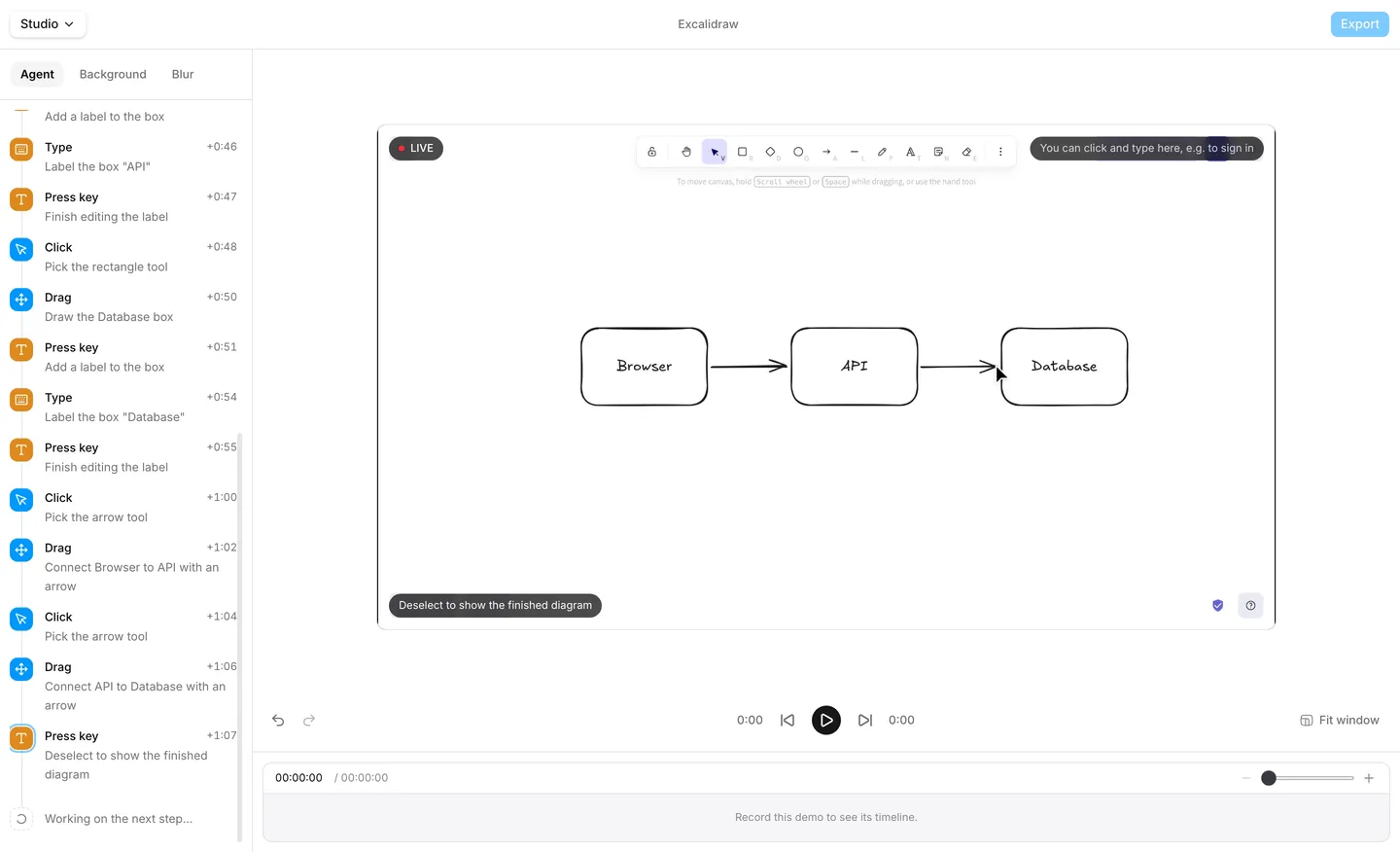
The agent works through the flow in a real browser, and each step appears as it happens. Pick the agent, the model and a voice
Choose your agent and, if you like, its model: a stronger model plans more carefully, a lighter one is quicker and cheaper. Then pick one of the nine voices, or none.
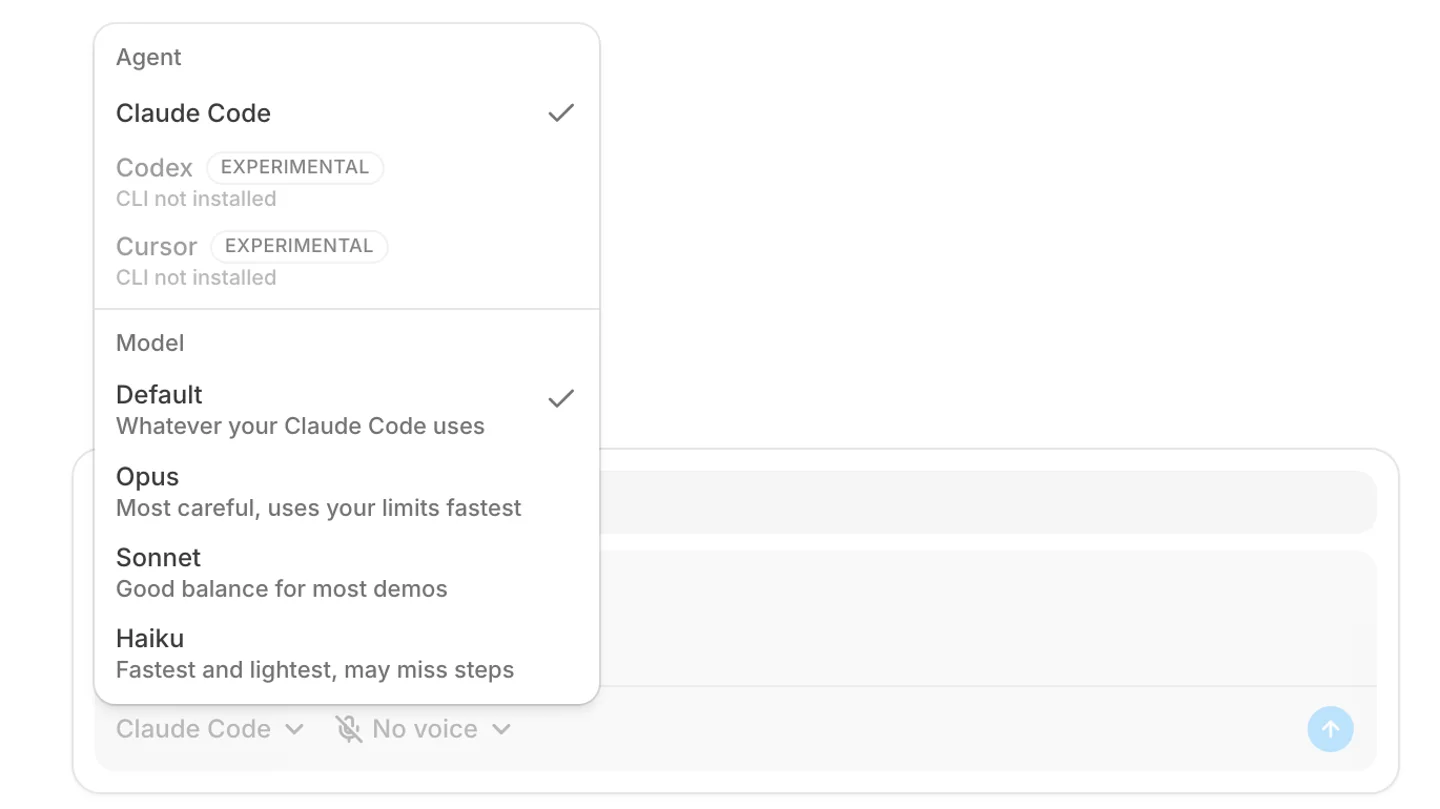
The agent and its model, in one menu under the prompt. Press record, and watch if you want to
The agent opens the page in a browser on your own machine and works through the flow. Switch the view to Agent to read its thread: every message and every tool call, as it happens. When it finishes, Castfy shows what the run used: the time, the tokens and its cost.
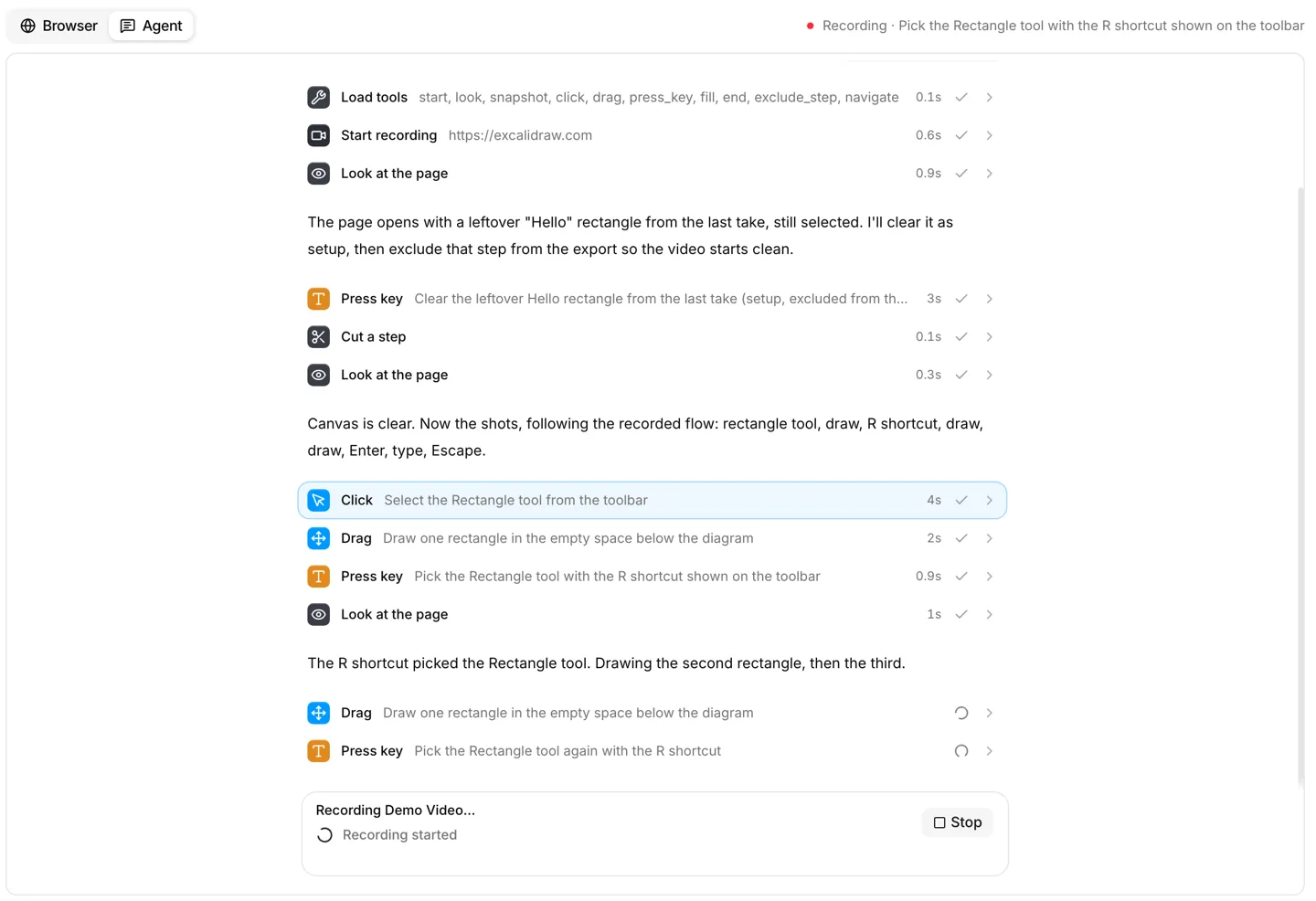
The Agent view: what the agent thinks and does while it records. Change one thing without starting over
Not quite right? Type what to change, and use @ to point at a step: "make @3 slower". The agent records a new take; the old one stays in your library.
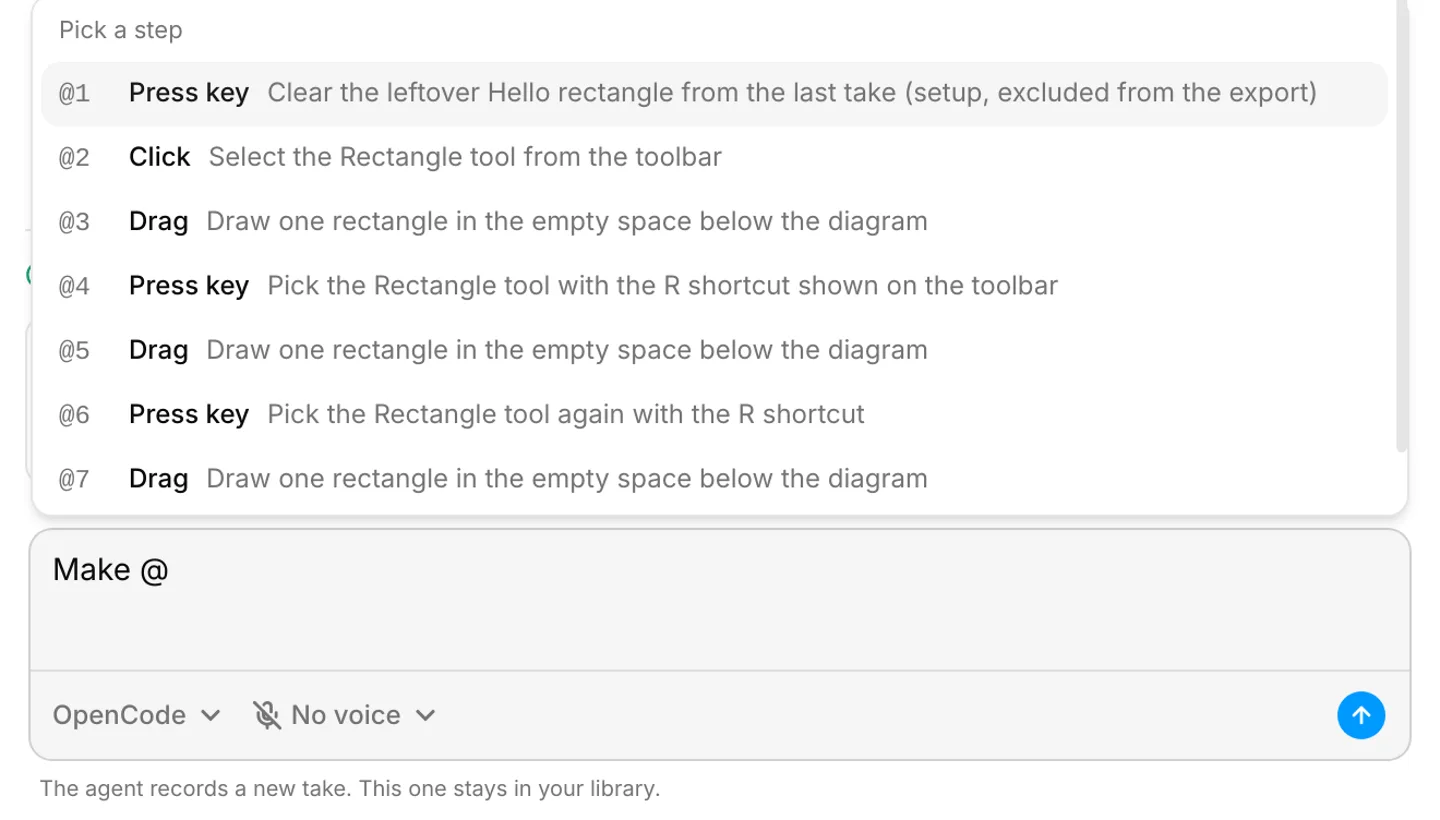
Type @ to pick the step you mean. Make it look finished, then export
Pick a background and a browser window, keep the calm zoom or turn it off, and draw a box over anything private: it stays blurred in the export. Then export the video in 1080p.
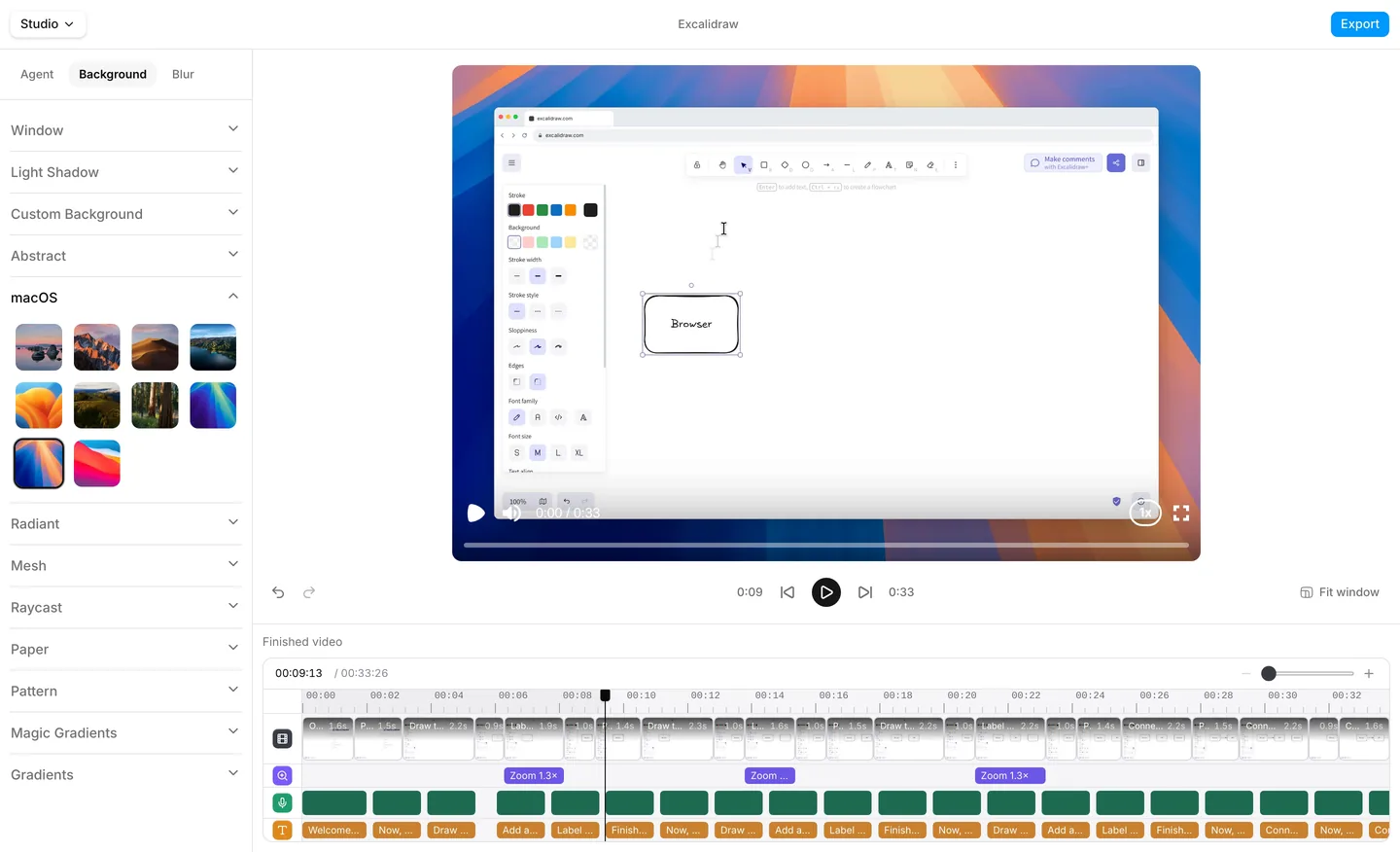
The finished look: a window, a wallpaper and a calm zoom.
Tips for a prompt that records well
- Start where the demo starts. Give the exact page, not the homepage, unless the homepage is the point.
- Name the things to click. "Click Export, then PNG" records better than "export the drawing".
- Say where to end. A clear last screen gives the demo a clean ending.
- Keep it to one idea. A 30–60 second demo of one flow is easier to watch and to share than a three-minute tour.
- Signed-in apps work. The browser runs on your machine, so you can sign in once and the agent carries on from there.
What it costs
Castfy is a one-time purchase, with no subscription. The recording itself runs on your agent: our test run of a short Excalidraw demo with Claude Code's lightest model used about two cents of tokens, and Castfy shows the figure after every run, so you always know.
Try it on your own app
The fastest way to see whether this works for your product is to run it once. Copy the prompt above, swap in your URL and your flow, and press record.
Make your own demo
Paste a URL, say what to show, and your coding agent records it on your machine. Castfy cuts the dead time, adds the voice and gives you a video to share.